
Download MOOS Project Viewer – Microsoft Project File Viewer, Project Management Tool, Productivity Utility
Overview
MOOS Project Viewer is a specialized mobile application designed to provide access to Microsoft Project (.mpp) files without requiring the full-featured Microsoft Project software. This tool serves as a lightweight, cost-effective alternative for individuals who need to view, analyze, and print project data without the need to create or edit projects. It is particularly useful for stakeholders, team members, clients, and project coordinators who require visibility into project schedules, resource allocations, and financial breakdowns but do not need the full editing capabilities of the original application.
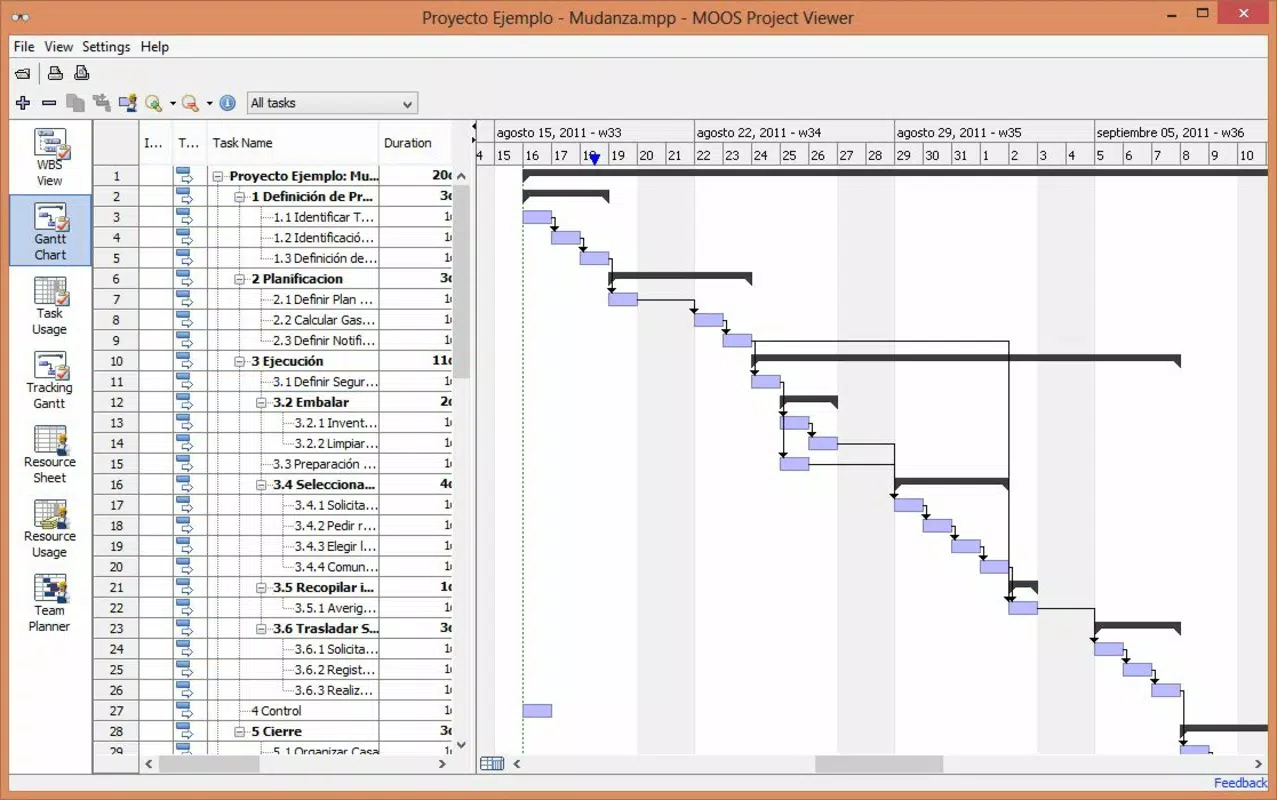
The app enables users to open and explore complex project plans with full graphical representation, including Gantt charts, resource histograms, and cost tracking visuals. This makes it an essential utility for project management workflows where information sharing and transparency are critical. By allowing access to project data on mobile devices, MOOS Project Viewer enhances collaboration across remote teams and supports decision-making during meetings or site visits.
Although the developer did not provide additional technical details, the app has been available since 2012, indicating a long-standing presence in the project management tool ecosystem. Its continued relevance suggests a stable, reliable solution for users seeking affordable access to MS Project files. The app fills a vital gap in the mobile productivity landscape by offering a secure, dedicated viewer for proprietary project formats.
Key Features & Functionality
- Full MS Project File Access: Users can open and view any .mpp file, including project timelines, task dependencies, milestones, and resource assignments. This ensures stakeholders receive accurate, up-to-date project information.
- Visual Data Representation: The app displays project data through interactive Gantt charts, resource usage graphs, and cost summaries. These visual tools allow users to quickly assess progress, identify bottlenecks, and understand project health at a glance.
- Printing and Exporting: Users can print project files directly from the app, which is useful for preparing physical documentation for presentations, audits, or internal reporting.
- Cost-Effective Access: MOOS Project Viewer eliminates the need for expensive Microsoft Project licenses, making it ideal for organizations with budget constraints or occasional users who only need to view files.
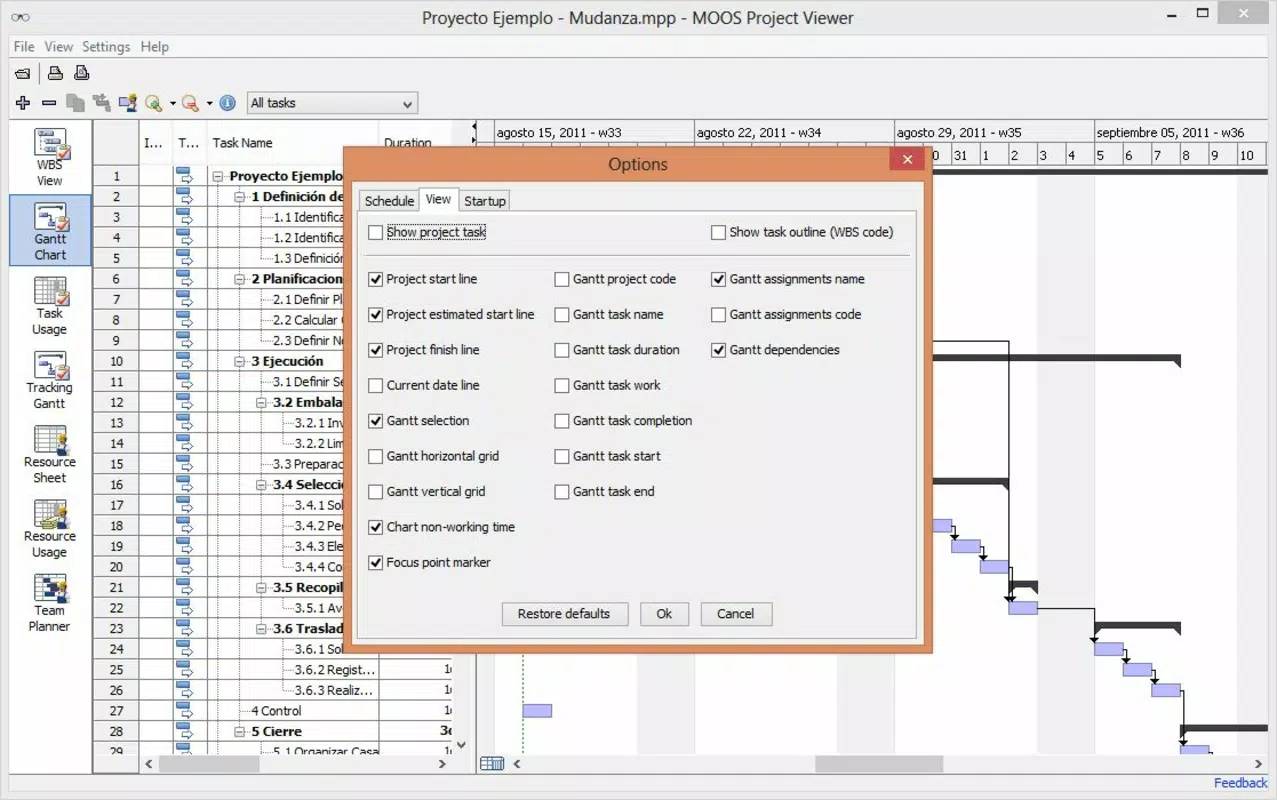
- Intuitive Navigation: The interface is designed for ease of use, allowing users to switch between views, zoom in on timelines, and filter data without requiring prior training in project management software.
For example, a project manager can share a .mpp file with a client via email, and the client can view the entire project schedule on their smartphone without installing additional software. Similarly, a team lead can review a resource allocation chart during a site visit and make informed decisions based on real-time data access.
Interface, UX & Performance
The user interface of MOOS Project Viewer is structured to prioritize clarity and accessibility. It features a clean layout with clearly labeled sections for project timelines, task lists, and visual charts. Navigation is straightforward, allowing users to switch between different views such as Gantt, resource, and cost reports with minimal effort.
Visual elements are well-organized, with intuitive color coding and scalable chart displays that adapt to various screen sizes. The app supports touch-based interactions, enabling users to pan, zoom, and select specific tasks or resources with ease. Although the developer did not list formal performance metrics, the app is designed to handle moderately sized project files efficiently, ensuring smooth operation on standard mobile devices.
Responsiveness is consistent across different device categories, including smartphones and tablets. The interface remains stable during transitions between views and maintains data integrity when handling complex project structures. Users can expect reliable performance when viewing large datasets, though specific device compatibility details were not disclosed.
Platform Compatibility & Technical Requirements
MOOS Project Viewer is available for mobile platforms, though specific operating system versions and file size were not listed. The app supports access to Microsoft Project files, making it compatible with standard .mpp formats used in professional environments. The developer did not specify minimum OS requirements or device specifications.
Given the app’s release date in 2012, it may have been originally designed for older mobile systems, but its continued availability suggests ongoing compatibility with modern devices. Users are advised to verify platform support through official channels. The file size is not publicly disclosed, but the app is expected to be lightweight due to its focused functionality as a viewer rather than an editor.
Pros and Cons
Pros
- Enables access to Microsoft Project files without requiring a full license
- Supports viewing of Gantt charts, resource data, and cost summaries
- Offers printing functionality for physical documentation
- Designed with a user-friendly interface for non-technical users
- Provides a budget-friendly alternative for occasional project viewers
Cons
- Specific technical requirements were not listed
- Compatibility with modern operating systems was not confirmed
- No editing or collaboration features available
- Developer did not provide performance or stability metrics
- File size and update frequency are unknown
FAQ
Is MOOS Project Viewer safe to download and use?
Yes, the app is designed as a secure viewer for Microsoft Project files. It does not modify or alter the original .mpp files, ensuring data integrity and reducing security risks.
Can I edit Microsoft Project files using this app?
No, MOOS Project Viewer is strictly a viewer. It allows users to open, view, and print project files but does not support editing, saving changes, or creating new projects.
Does the app support both Android and iOS?
The developer did not specify platform availability. Users should verify compatibility with their device’s operating system before installation.
How often is the app updated?
Update frequency was not disclosed. Users are encouraged to check the official source for the latest version and security patches.
Can I use MOOS Project Viewer offline?
Yes, once installed, the app can be used to view project files without an internet connection, making it suitable for field use or remote locations.
Final Thoughts
MOOS Project Viewer stands out as a practical, no-frills solution for professionals and stakeholders who need to access Microsoft Project files on mobile devices. Its ability to display detailed project data—complete with visual timelines, resource usage, and cost tracking—makes it a valuable tool in project management workflows. While it lacks editing capabilities, its focus on secure, cost-effective viewing aligns perfectly with the needs of users who only require insight, not control.
For project managers, team leads, clients, and auditors, this app offers a reliable way to stay informed without the overhead of full software licenses. Its simplicity, combined with essential viewing and printing functions, delivers strong value for budget-conscious teams and organizations.
Download MOOS Project Viewer now


